
 By
A multifamily property doesn’t stop operating when the leasing office closes. Residents arrive late, delivery drivers search for entrances, maintenance teams handle urgent calls, and guests come and go. Most of this activity is routine. Some of it isn’t. The challenge is telling the difference while an incident is still unfolding.
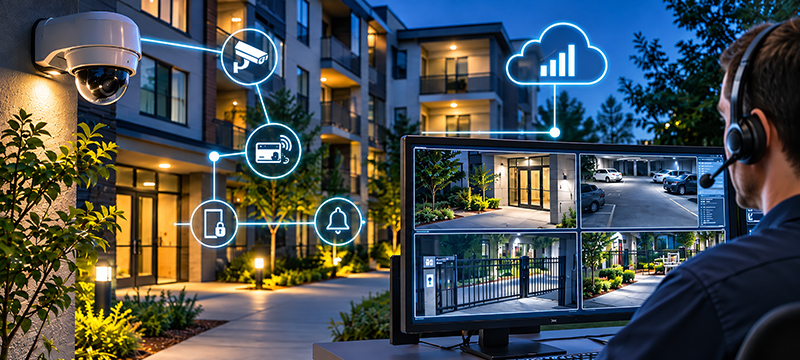
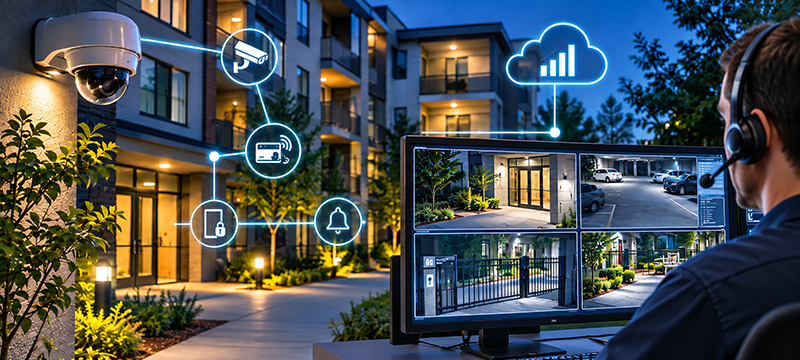
Connected security infrastructure can help property teams address that challenge. Networked cameras, smart access control systems, and IoT sensors can generate real-time information about activity across entrances, garages, and shared spaces. When these systems are integrated with live video monitoring, alerts can be assessed in context rather than treated as isolated notifications.
Multi-family residential live monitoring gives property teams another set of eyes during those low-staffed hours. Video analytics flag defined activity, then a trained monitoring agent reviews the live feed. If the event requires action, the agent follows the property’s escalation plan. That may mean contacting an on-call manager, issuing an audio warning through a connected speaker, or notifying emergency services.
Connected Security Systems Help Fill the Overnight Staffing Gap
Many communities have limited staff after business hours. A maintenance technician may be on call, but that person shouldn’t have to assess every motion alert from a parking garage. Leasing teams also need sleep. Reviewing camera notifications at 2 a.m. wasn’t in the job description.
IoT-enabled security systems can collect events from cameras, door contacts, and access control devices across a property. Depending on the deployment, video analytics running on cameras, local gateways, or centralized platforms can identify activity that meets predefined rules. Live monitoring gives those alerts to agents trained to evaluate video.
They can distinguish a resident unloading groceries from someone checking vehicle doors. That review matters because unmanaged alerts quickly become background noise. Once staff members receive too many irrelevant notifications, they may respond slowly or stop checking them.
The goal is useful coverage without turning property employees into overnight surveillance operators.
Clear Escalation Plans Connect Detection to Response
Connected devices can detect events and send notifications, but they cannot replace a well-defined response process. Monitoring agents need specific instructions before an incident occurs. A vague direction such as “call someone if anything looks suspicious” leaves too much room for delay. Each property should define common events, response steps, and the people responsible for follow-up.
A practical plan may cover:
- Unauthorized entry: Review a camera or access control alert, issue an audio warning where appropriate, notify the on-call manager, then contact police if the situation warrants it.
- Amenity use after closing: Confirm occupancy using available camera feeds, provide a reminder through an on-site connected speaker, then document the event.
- Vehicle concerns: Observe the behavior, record relevant identifying details, and escalate apparent break-in activity.
- Medical emergency: Contact emergency services and give responders the person’s visible location.
- Door propping: Use a door-position alert, where available, to notify designated staff so they can check the door and restore secure access.
Contact lists also need regular updates. A perfect response plan won’t help if the listed manager left the company six months ago. Integration between monitoring platforms and property management workflows can make it easier to route incidents to the right personnel, provided responsibilities and contact information are maintained.
Live Video and IoT Data Add Context to Emergency Response
An alarm tells responders that something happened. Live video can show what is happening now. When video feeds are combined with timestamps, access events, and other connected sensor data, monitoring teams may gain a clearer picture of where an incident occurred and how it is developing.
That context may reveal where a person went, whether anyone appears injured, or which entrance responders should use. The information becomes especially useful across large communities with several buildings, parking levels, and shared amenities. Saying “someone is in the garage” offers little direction. Reporting that a person wearing a red jacket entered the third-floor stairwell gives staff or responders a clearer starting point.
The Occupational Safety and Health Administration’s emergency preparedness guidance discusses planning for emergency notification, evacuation, and accounting for people. A monitoring agent can support that wider process by sharing verified details with the people assigned to respond. Monitoring should complement, rather than replace, established emergency procedures.
Property Teams Still Need Operational and Technical Oversight
Live monitoring works best when managers review how the service performs. Check incident reports. Look for repeat activity near the same gate, package room, or parking entrance. Ask whether agents followed the escalation plan and whether on-call staff received useful information.
Those reviews can reveal physical problems that cameras alone won’t fix. A recurring alert near a side entrance may point to a failing latch, poor lighting, or landscaping that blocks visibility. Repeated garage access problems could indicate that residents are sharing credentials or holding gates open.
Connected monitoring also depends on reliable infrastructure. IP cameras and gateways require stable network connectivity, correct timestamps, adequate power, and appropriate maintenance. Device health monitoring can help identify offline cameras, interrupted data streams, or equipment faults before an incident exposes the problem.
Cybersecurity and privacy are equally important. Property operators should restrict access to video feeds and device management interfaces, maintain software updates, and apply appropriate retention and access policies to recorded footage. Connected security systems should be managed as part of the building’s wider IoT environment, not as isolated equipment.
After-Hours Security Should Work as a Connected Process
Live monitoring supports after-hours operations by connecting detection, verification, and response. IoT cameras, sensors, and access control devices provide information; video analytics help prioritize events; and trained monitoring agents apply judgment when a situation requires action. This approach helps property teams manage activity without placing every alert on an employee’s phone.
Recorded video remains useful for investigations and resident disputes. Access control still manages who can enter secured areas. Live monitoring adds real-time assessment when staffing is thin and quick decisions matter. For multifamily communities investing in smart building infrastructure, the value lies not simply in connecting more devices, but in turning their data into a coordinated and reliable operational response.
The post How IoT Security Monitoring Supports After-Hours Property Operations appeared first on IoT Business News.